Sharing & RSS
Want to share your carefully curated bookmarks with the world? You can generate a public link for any collection and let others subscribe via RSS.
How to Share a Collection
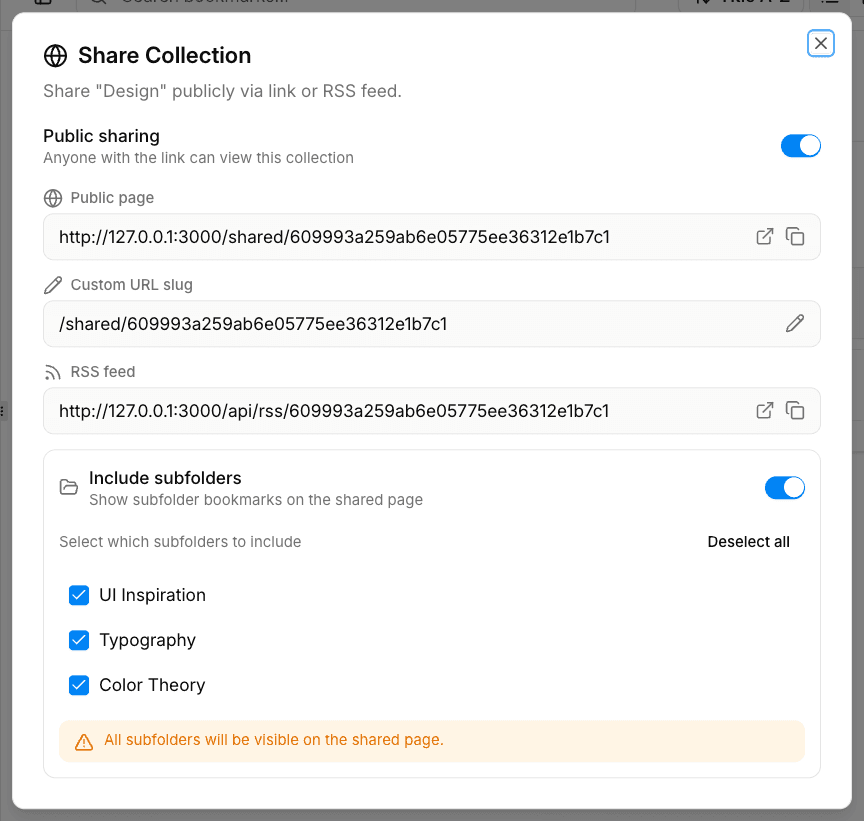
Right-click any collection and select Share, or click the share icon. This generates a unique public URL that you can send to anyone — they do not need a bookmark.land account to view it.
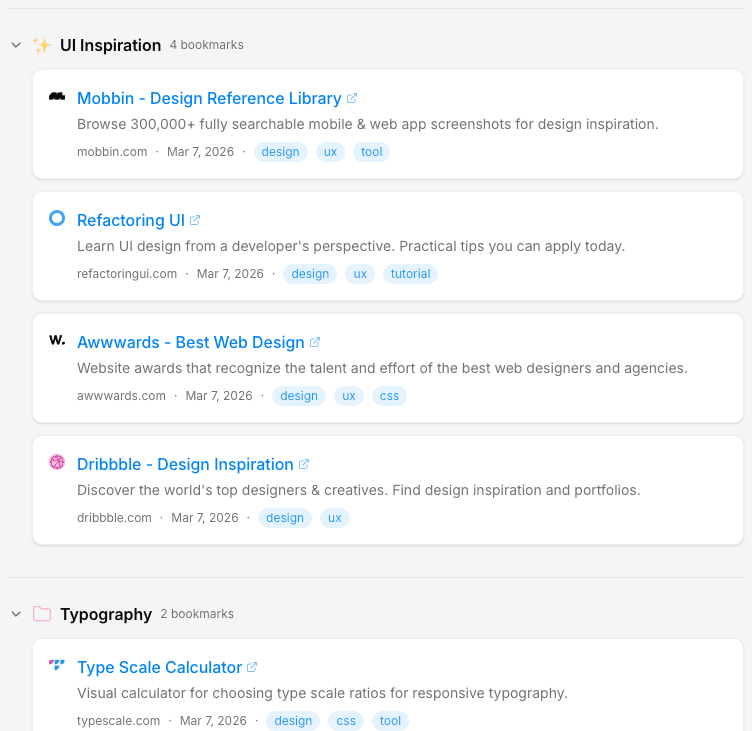
Your shared page is a clean, read-only view that displays every bookmark in the collection and its subcollections. Visitors get a theme toggle, collapsible subfolder sections, and a handy RSS feed link right on the page.
Subscribing via RSS
Every shared collection automatically includes an RSS feed. Visitors can click the RSS Feed link on the shared page, or you can copy the RSS URL directly from the share dialog. Drop it into your favorite feed reader — Feedly, Miniflux, NetNewsWire, or any other — and you will get notified whenever new bookmarks are added to the collection.
How to Revoke Access
Changed your mind? Open the share dialog and click Unshare. The public link stops working on our servers and we clear cached copies of the page and its RSS feed. If clearing the cache fails, a copy that was already cached can stay visible for up to about six minutes before visitors see that the page is no longer available.
Frequently Asked Questions
Do visitors need a bookmark.land account to see my shared collection?
No. Shared pages are completely public. Anyone with the link can view your bookmarks without signing up or logging in.
Can I share individual bookmarks instead of an entire collection?
Sharing works at the collection level. If you want to share a single bookmark, you can create a dedicated collection for it and share that.
What happens to existing RSS subscribers when I unshare a collection?
The RSS feed URL stops returning new items when you unshare (a cached copy can linger for up to about six minutes). Subscribers will simply stop receiving updates — their feed reader may show an error on the next refresh.