Search & Filters
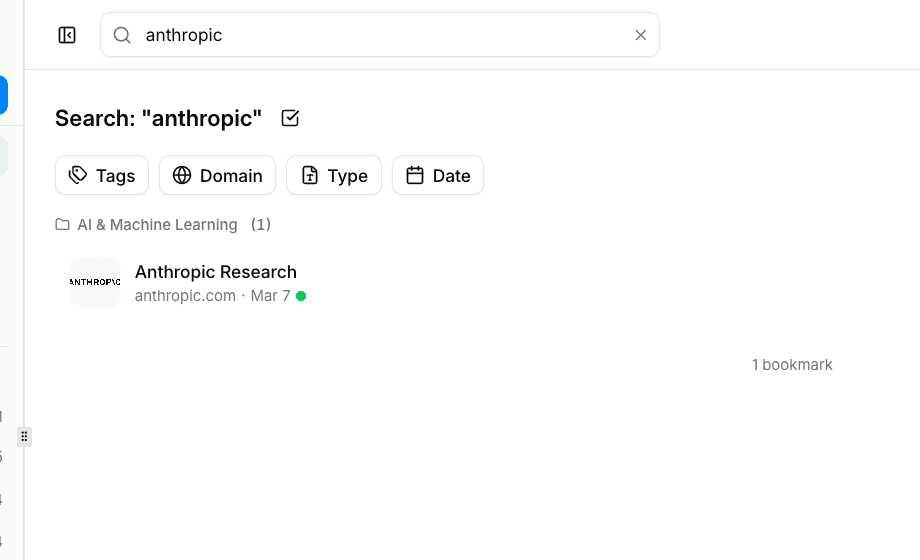
Once your bookmark collection grows, you need a fast way to find exactly what you are looking for. bookmark.land gives you full-text search and a set of stackable filters so you can zero in on any bookmark in seconds.
Full-Text Search
The search bar at the top of the page looks through bookmark titles, URLs, and descriptions all at once. Results appear instantly as you type, so there is no waiting around. Tip: press / from anywhere in the app to jump straight to the search bar.
Filter Types You Can Combine
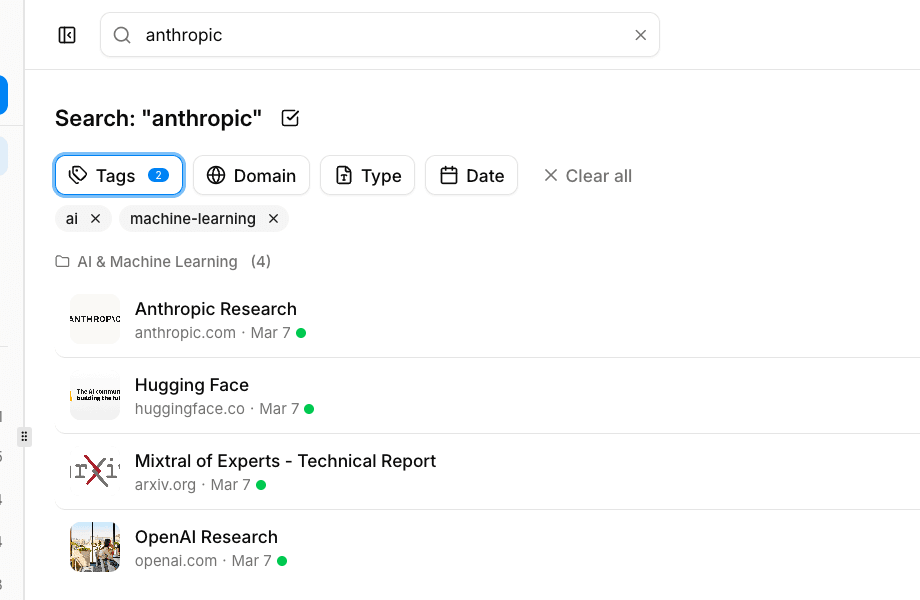
Filters work alongside search, and you can stack as many as you like. Here is what is available:
| Filter | What It Does | Example |
|---|---|---|
| Tags | Narrow results to bookmarks that carry specific tags | Show only items tagged “design” and “inspiration” |
| Domain | Limit results to a single website | See only your github.com bookmarks |
| Type | Filter by the kind of content | Articles, videos, documents, or images |
| Date Range | Show bookmarks saved within a time window | Last 7 days, last month, or a custom range you pick |
Sorting Your Results
You can reorder your bookmark list however you prefer:
- Date added -- newest first or oldest first
- Title -- alphabetically, A-Z or Z-A
- URL / domain -- grouped alphabetically by site
Your chosen sort order is saved per view, so you will not need to set it again next time you come back.
Shareable Filter URLs
Every combination of search terms, active filters, and sort order is reflected in the page URL. That means you can bookmark a filtered view in your browser or share the link with a teammate -- they will land on the exact same results you see.
Frequently Asked Questions
Can I search inside the content of a bookmarked page?
Search covers the bookmark title, URL, and description. It does not search your notes or the full text of the linked page itself.
Do filters work inside collections and smart folders?
Yes. When you are viewing a specific collection or smart folder, the search bar and all filters apply only within that context, so you can drill down even further.
Is there a keyboard shortcut to clear all filters?
There is no dedicated shortcut, but you can click the “Clear filters” button that appears whenever filters are active, or simply navigate back to your dashboard to reset everything.